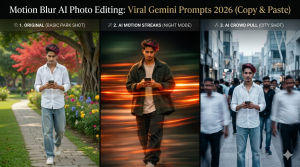
Motion Blur AI Photo Editing: Have you seen those amazing photos on Instagram or Pinterest. Where the subject is clearly visible, but the background has a strange motion blur? Previously, achieving a “motion blur” effect required brainstorming on your DSLR settings and editing. But in 2026. Google Gemini AI has made it a matter of just one prompt. In today’s blog, I’m going to give you the top viral motion blur AI photo editing prompts. You can use in Gemini or any other AI tool to create professional photos.
Motion blur is a cinematic effect that occurs when objects move at speed. Motion Blur Effect is Trending now a Days. So You Try these prompt for your grow Social media handle. Using AI, we create “Synthetic Motion Blur.” It’s trending in 2026 because:
It gives ordinary photos a premium aesthetic look.
It’s especially popular in street and sports photography.
Gemini AI now generates perfect “Speed Lines” by understanding natural language.
Motion blur isn’t just an editing style, it’s a powerful storytelling tool that breathes life into any ordinary photo. The biggest reason to use this effect is to create “Visual Energy.” When you take a photo of a fast-moving subject (like a racing car or a busy street). Motion blur captures the speed and excitement that a simple still photo can’t. In 2026, with AI photo editing, motion blur is used to create cinematic aesthetics and professional depth. It keeps the viewer’s focus directly on the “in-focus” subject. And transforms the background into soft, dreamy streaks, creating the perfect “Aesthetic Look” to go viral on social media. If you want to take your photography to a professional level, motion blur is a must-have technique.
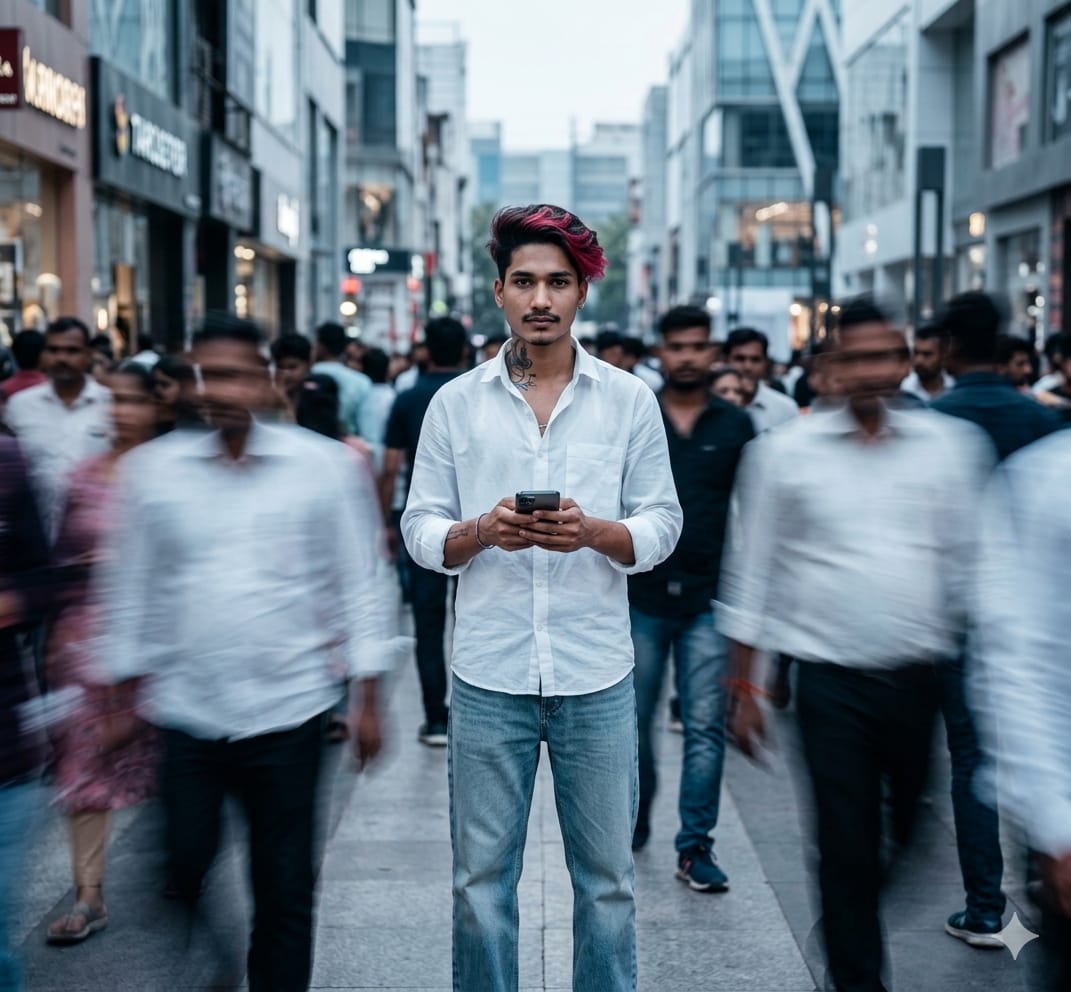
Prompt For The Image👇
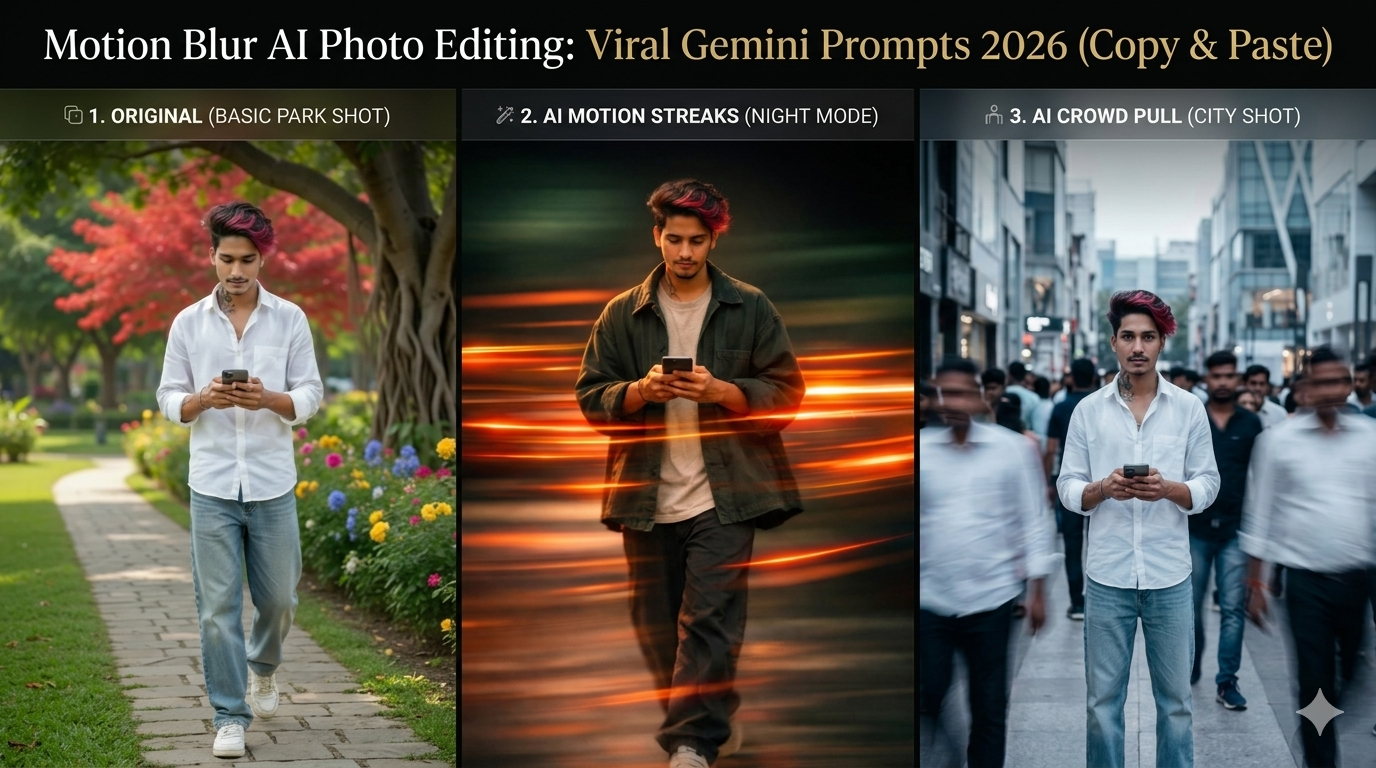
Ultra realistic cinematic portrait of a young man [use reference photo] standing still in the center of a crowded street, using the reference image for exact face and identity preservation, sharp focus on the subject’s face, neutral expression, detailed skin texture, natural lighting, shallow depth of field,
surrounded by a busy crowd of people moving rapidly around him, strong motion blur effect on all surrounding people, dynamic long exposure style, streaked human figures, sense of chaos and movement,
the subject is wearing as reference photo clothes, modern minimal fashion, cold color tones, soft diffused daylight, urban environment background,
center composition, subject perfectly still and in focus while everything else is strong blurred, 95mm lens, f/2.5, high dynamic range, 8K ultra HD, cinematic color grading, moody atmosphere, professional photography, extremely detailed, photorealistic
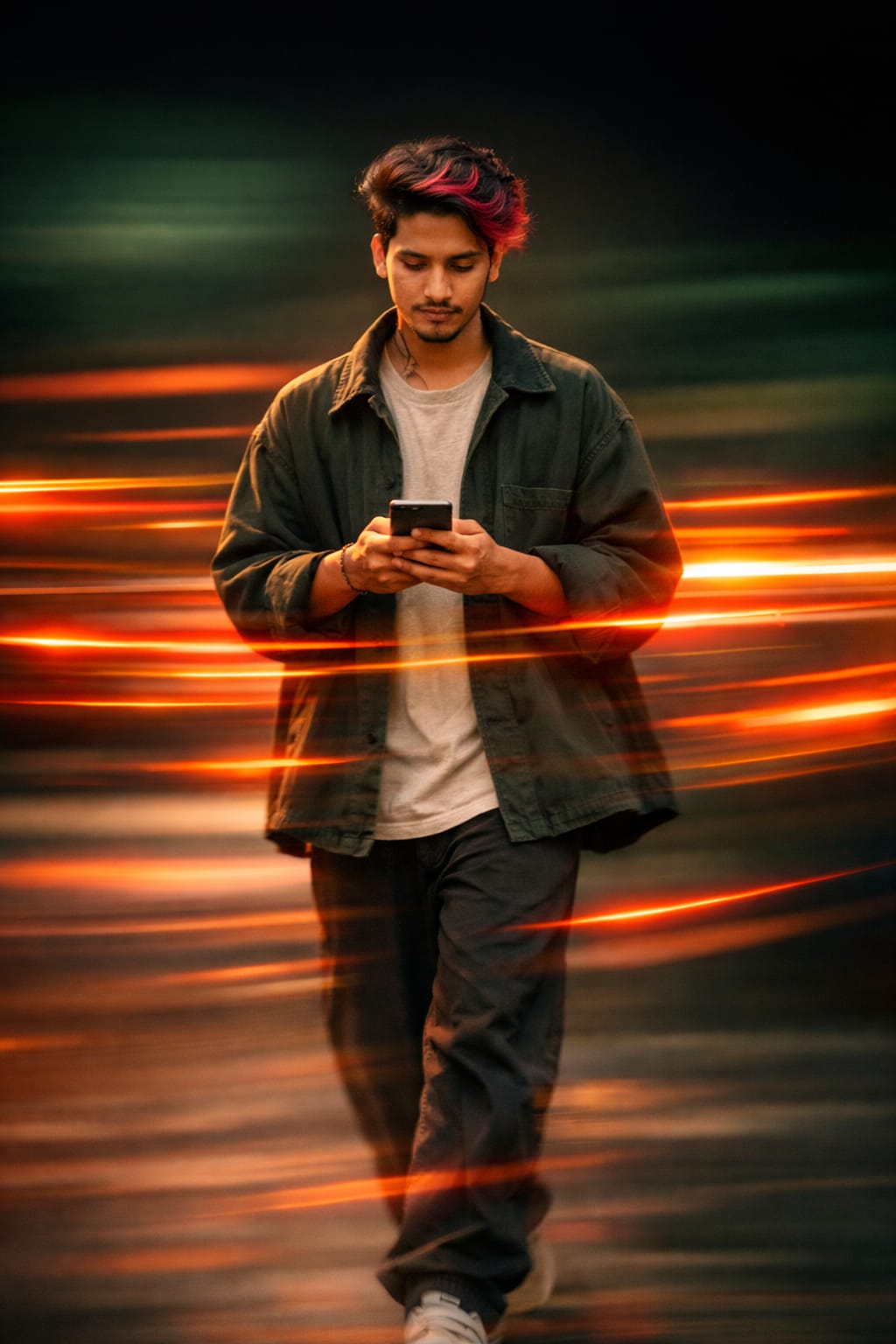
Prompt For The Image👇
Ultra realistic cinematic portrait of a young man walking slowly, using the reference image for exact face and identity preservation, subject partially sharp with slight motion softness, calm confident expression, detailed skin texture, he is wearing an oversized dark green jacket over a light beige t-shirt, loose black pants, minimal streetwear style, relaxed walking pose, strong horizontal motion blur and neon light streaks passing across the subject from left to right, vibrant orange and red light trails, glowing streak effect, dynamic long exposure photography style, background dark and minimal with gradient tones of green and black, dramatic lighting with warm highlights on the face, high contrast cinematic look, motion trails wrapping around the subject, smooth light diffusion, depth of field, 85mm lens, HDR, 8K ultra HD, filmic color grading, highly detailed, photorealistic
How To Create Motion Blur AI Photo Editing Prompt ?
To create the perfect prompt, start with a clear subject. Describe the action, and specify the motion blur style (like “radial” or “panning”). Mention high-speed details and “sharp focus” on the subject to ensure a professional, cinematic AI-generated result.
Basic Requirements for AI Motion Blur Effect
The first requirement for creating perfect motion blur is a sharp and static subject. So that the contrast between the motion of the background is visible. This is also necessary to have a clear direction of movement. And a detailed background (such as streetlights or trees). Which, when blurred, can create aesthetic “speed streaks.” Using technical keywords like “Long Exposure” and “Panning Shot” in AI prompts is a basic requirement. So that Gemini AI knows where to focus and where to add cinematic blur.
Conclusion
Motion Blur AI Photo Editing is a viral trend of 2026 that can transform your simple photography into professional cinematic art. By using the copy-paste prompts provided by Google Gemini AI. You can achieve amazing results without any laborious editing. Just remember to always maintain a balance between a sharp subject and the right motion direction. Try these prompts today, explore your creativity, and give your social media feeds a new aesthetic look. If you liked these prompts, be sure to share this post with your creator friends!
Frequently Asked Questions (FAQs)
Q1. Can Gemini AI create motion blur photos for free?
Ans: Yes, the free version of Gemini also allows basic image generation, but the “Advanced” version in 2026 provides more realistic motion blur and higher resolution.
Q3. Which is the best tool for motion blur?
Ans: The top picks are Google Gemini, Midjourney V7, and Adobe Firefox in 2026. Gemini is the easiest to use because of its Google Photos integration.
Q4. Are these prompts copyright free?
Ans: Absolutely! These prompts are in the public domain, so you can copy and paste them anywhere for your website or personal use.